

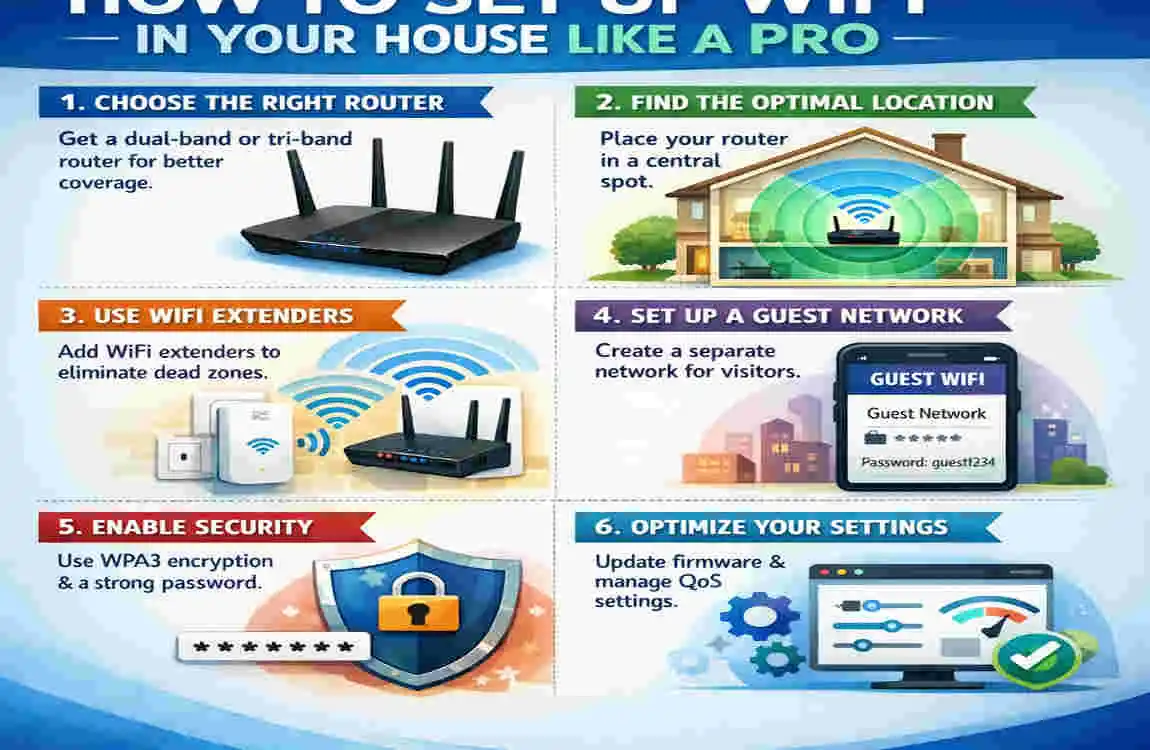
Getting strong internet at home is no longer a luxury. It helps you work, study, stream, game, and stay connected every day. When WiFi is slow or weak, even simple tasks can become frustrating.
If you are searching for how to get wifi in my house, the good news is that the setup is usually easier than it sounds. You need the right internet plan, the right equipment, and the right router placement.
What Do You Need Before Setting Up Home WiFi?
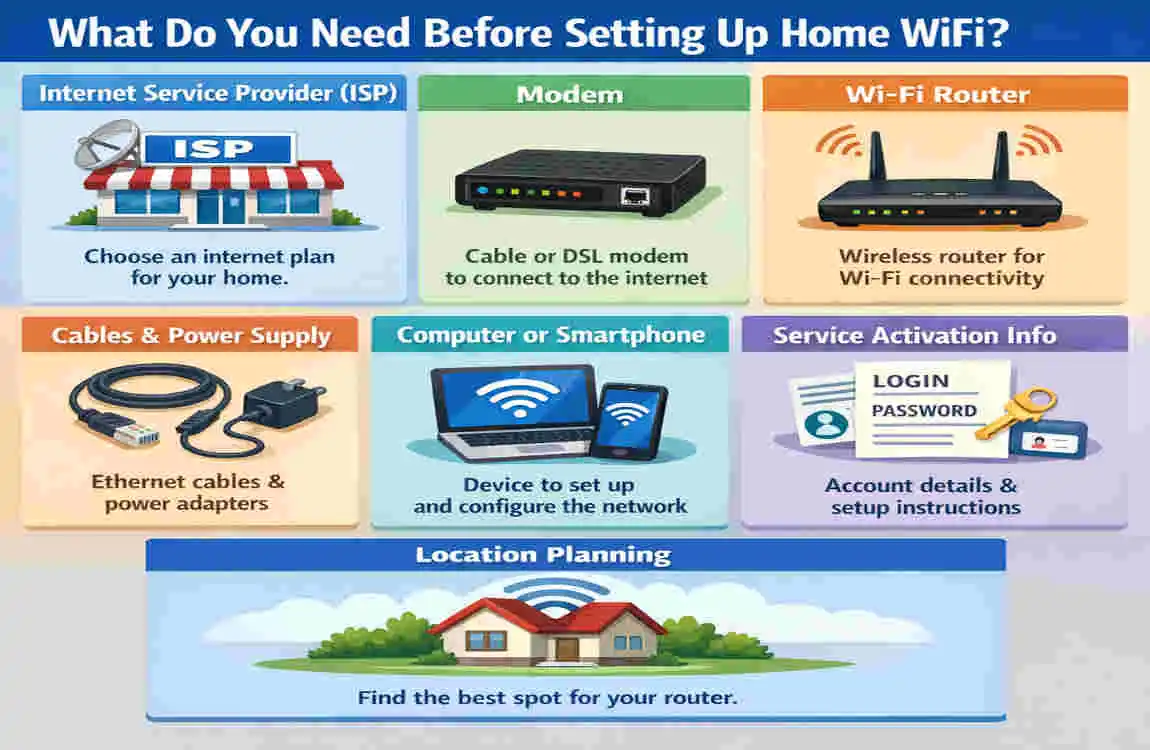
Choose an Internet Service Provider
Before you can use WiFi, you need internet service. A provider connects your luxury home to the internet.
Here are the most common options:
- Fibre: Fast and reliable, but not available everywhere
- Cable: Widely available and good for most homes
- DSL: Slower, but often affordable
- Fixed Wireless: Useful in rural areas
- Satellite: Best for remote locations, though usually slower
Your location, budget, and internet needs will help you choose the best one.
Select the Right Internet Plan
Not every home needs the same speed. A small household may only need a basic plan, while a large family may need much more.
Think about:
- How many people use the internet
- How many devices are connected
- Whether you stream, game, or work from home
If you want smooth video calls and fast browsing, choose a plan with enough speed for your daily use.
Essential Equipment
To get WiFi in your house, you usually need:
- A modem
- A WiFi router
- Ethernet cables
The modem brings internet into your luxury home. The router spreads that internet wirelessly to your devices.
How to Get WiFi in My House: Step-by-Step
Install Your Internet Connection
First, your internet service must be activated. In some homes, the provider does this for you. In others, you may need to connect the service yourself.
Connect the Modem
Plug the modem into the internet line or wall outlet. Then connect it to power and wait for it to start fully.
Connect the WiFi Router
Use an Ethernet cable to connect the modem to the router. This lets the router share the internet wirelessly.
Power Everything On
Turn on the modem and router. Wait a few minutes until the lights show they are working properly.
Configure Your WiFi Network
Use the router app or web interface to configure your network name and basic settings.
Create a Secure WiFi Password
Choose a strong password that is hard to guess. This helps keep strangers off your network.
A good password should be:
- Long
- Unique
- Not easy to guess
- Different from your other passwords
Where Should You Place Your WiFi Router?
Best Locations
The router’s location matters a lot. Even a fast internet plan can feel slow if the router is in the wrong place.
Place it:
- In a central area
- On a shelf or table
- In an open space
This helps the signal spread more evenly through your luxury home.
Places to Avoid
Avoid putting the router:
- Behind furniture
- Near a microwave
- Near thick concrete walls
- Next to metal objects
These things can block or weaken the signal.
How to Improve WiFi Coverage Throughout Your House
Use a Mesh WiFi System
A mesh system uses multiple units to cover a larger area. It is a great choice for bigger luxury home or homes with dead zones.
Install WiFi Extenders
A WiFi extender helps extend the signal. It is cheaper than a mesh system, but usually not as strong.
Upgrade to a Better Router
Older routers may not handle many devices well. A newer model can improve speed and range.
Update Router Firmware
Firmware updates can fix bugs and improve performance. Check for updates often.
Reduce Wireless Interference
Other electronics, thick walls, and too many nearby signals can cause problems. Keeping your router away from these things helps.
Choosing the Best Router for Your Home
Single-Band vs Dual-Band vs Tri-Band
- Single-band: Basic and usually less expensive
- Dual-band: Better for most homes
- Tri-band: Best for busy homes with many devices
WiFi 6 and WiFi 7 Explained
Newer routers often support WiFi 6 or WiFi 7. These versions can handle more devices and give better speed and stability.
Features Worth Paying For
Look for:
- Strong security features
- Easy setup
- Good range
- Support for many devices
Home WiFi Security Tips
Enable WPA3 Encryption
This is one of the best ways to protect your network.
Change Default Admin Login
Do not keep the factory login details. Change them right away.
Keep Firmware Updated
Updates help fix security problems and improve performance.
Create a Guest Network
A guest network keeps visitors separate from your main devices.
Common WiFi Problems and Easy Fixes
Slow Internet
Try restarting the router first. If that does not help, test your internet speed or contact your provider.
Weak Signal
Move the router to a better location or reduce interference from walls and electronics.
Devices Keep Disconnecting
This may happen due to overload, a weak signal, or outdated equipment.
Dead Zones
If some rooms have no signal, you may need a mesh system or extender.
Router Keeps Restarting
This can mean overheating, a bad power cable, or an old router that needs replacing.
How Much Does It Cost to Get WiFi in a House?
Item Estimated Cost
Internet Installation $0–$150
Monthly Internet Plan $30–$120/month
WiFi Router $50–$300
Mesh WiFi System $150–$600
WiFi Extender $30–$120
Your total cost depends on your provider, luxury home size, and equipment choice.
Pro Tips for Faster Home WiFi
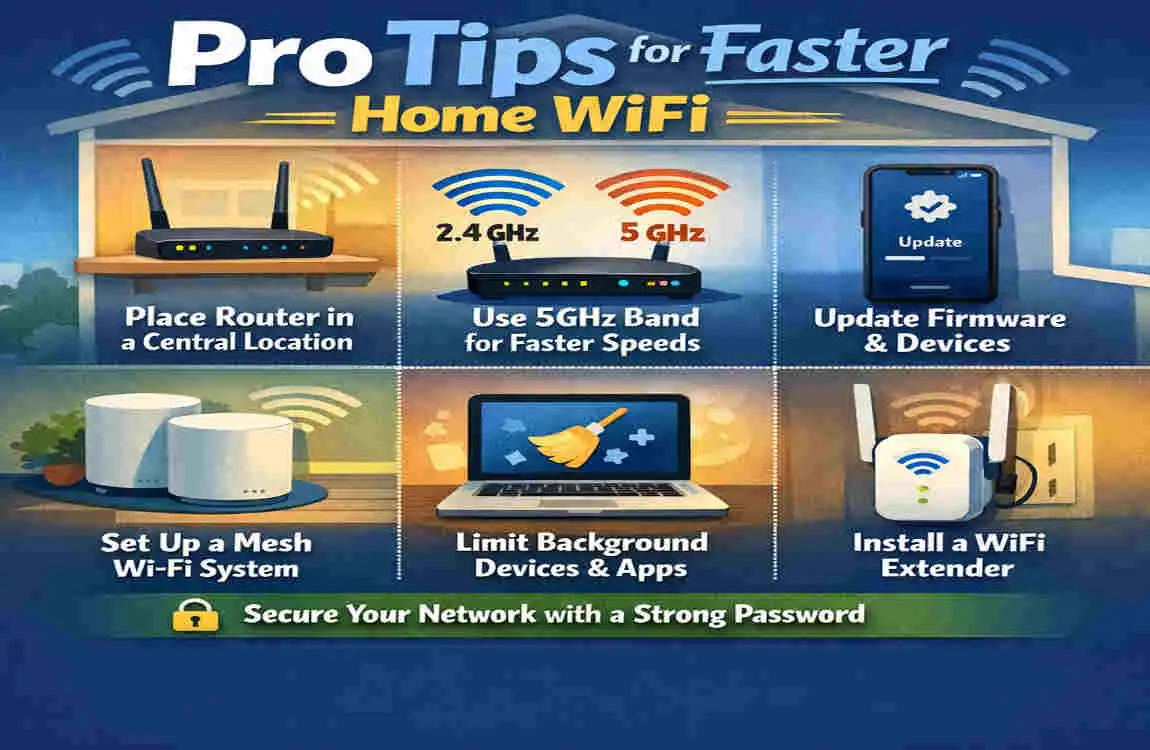
- Restart your router regularly
- Place the router in the centre of the luxury home
- Use 5 GHz or 6 GHz when available
- Disconnect devices you are not using
- Update firmware often
- Use Ethernet for gaming or work
- Replace old equipment when needed
These small steps can make a big difference.
Frequently Asked Questions
How do I get WiFi in my house for the first time?
You need an internet provider, a modem, and a router. After setup, you can create your WiFi network and connect your devices.
Do I need both a modem and a router?
Usually yes. The modem brings internet into the home, and the router shares it wirelessly.
Where is the best place to put my WiFi router?
A central, open, elevated place works best.
How can I improve WiFi coverage in a large house?
Use a mesh WiFi system, add extenders, or upgrade your router.
Is a mesh WiFi system better than a WiFi extender?
Yes, for most large homes, mesh systems provide stronger and more stable coverage.
| Step | What to Do | Why It Matters |
|---|---|---|
| Choose the Right Internet Plan | Select a broadband plan that matches your household’s speed and data needs. | Ensures reliable performance for streaming, gaming, and work. |
| Pick a Quality Router | Use a modern WiFi 6 or WiFi 6E router for better speed and coverage. | Improves signal strength and supports more connected devices. |
| Place the Router Correctly | Position it in a central, elevated, and open area. | Reduces dead zones and provides even WiFi coverage. |
| Secure Your Network | Set a strong WiFi password and enable WPA3 or WPA2 encryption. | Protects your network from unauthorized access. |
| Optimize WiFi Bands | Use 2.4 GHz for long-range coverage and 5 GHz for faster speeds nearby. | Balances speed and signal strength throughout the house. |
| Extend Coverage if Needed | Add WiFi mesh systems or range extenders for larger homes. | Eliminates weak-signal areas and improves connectivity. |
| Update Router Firmware | Regularly install firmware updates from the router manufacturer. | Enhances security, stability, and performance. |
| Test WiFi Speed | Use an online speed test to measure download and upload speeds. | Confirms your network is performing as expected. |
| Reduce Interference | Keep the router away from microwaves, cordless phones, and thick walls. | Minimizes signal disruption and improves reliability. |
| Maintain Your Network | Restart the router occasionally and review connected devices. | Keeps your home WiFi fast, stable, and secure over time. |
